Case Study
Elevate Trampoline ParkWebsite Redesign
- Industry
- Family Entertainment
- Location
- Arizona, Colorado, Illinois, Iowa, New Mexico & Pennsylvania
- Launched
- 2022
- Platform
- WordPress & Elementor
Services
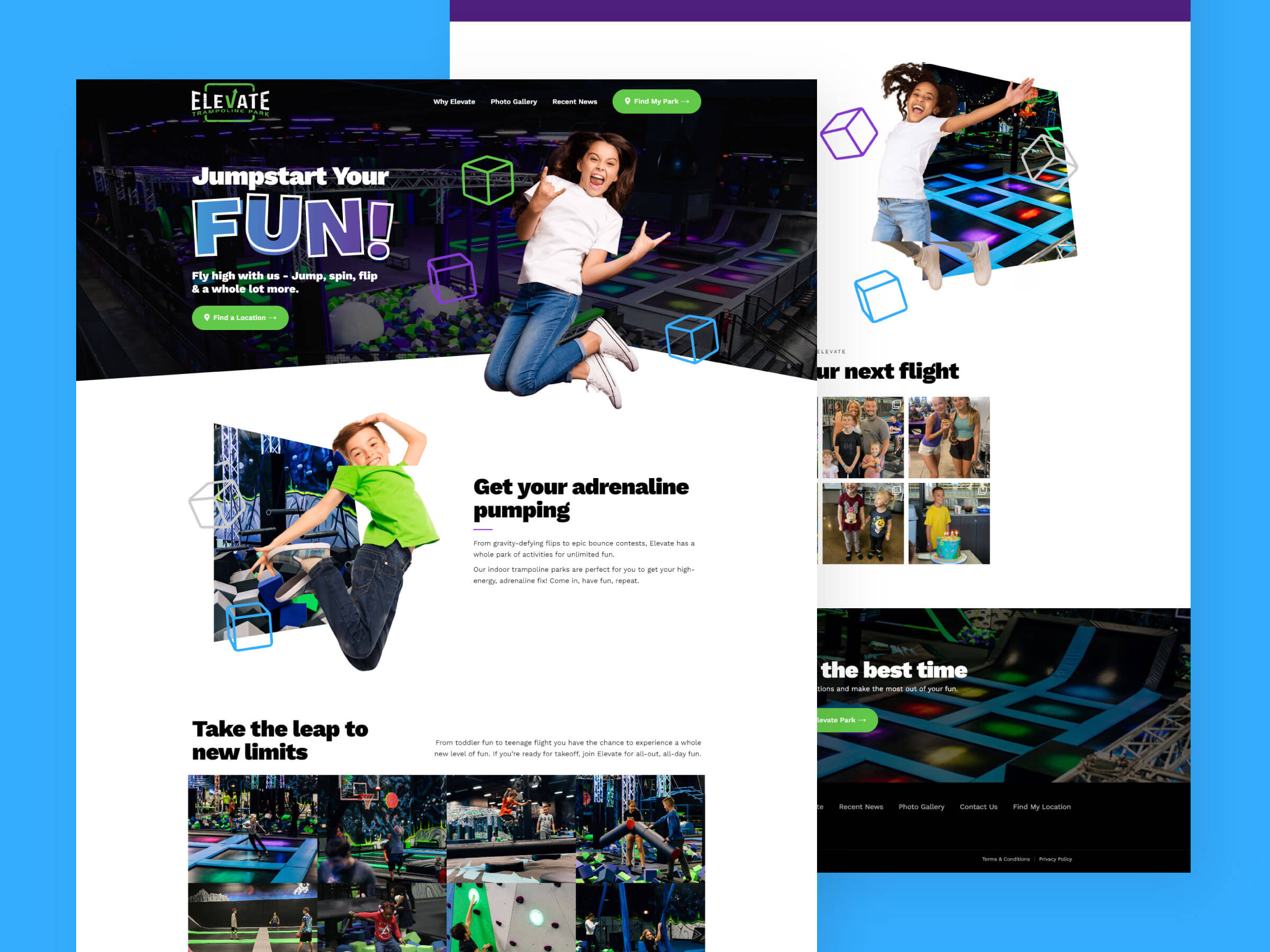
The client.
Elevate Trampoline Park runs indoor trampoline parks in Arizona, Colorado, Illinois, Iowa, New Mexico and Pennsylvania. Each park offers timed jump sessions and attractions such as dodgeball, ninja courses and toddler soft play, along with birthday parties, group events and Launch Pass memberships.
The challenge.
Elevate runs indoor trampoline parks across several states, but its online presence didn't look like one brand. The main elevatetrampolinepark.com site was a single Divi page listing the parks as cards, each with a "Visit Website" button that sent families off to a separate domain such as elevategoodyear.com or elevatechampaign.com. Every park had its own site to maintain, and the main domain did almost nothing beyond pointing people elsewhere.
That split made the basics harder than they should be. A parent comparing parks, booking a birthday party or checking prices had to jump between sites that didn't share a design or a structure, and the Elevate team had to keep the same information current in many places at once. The brand itself, with its loud colors and high-energy photography, was barely visible on the main site.
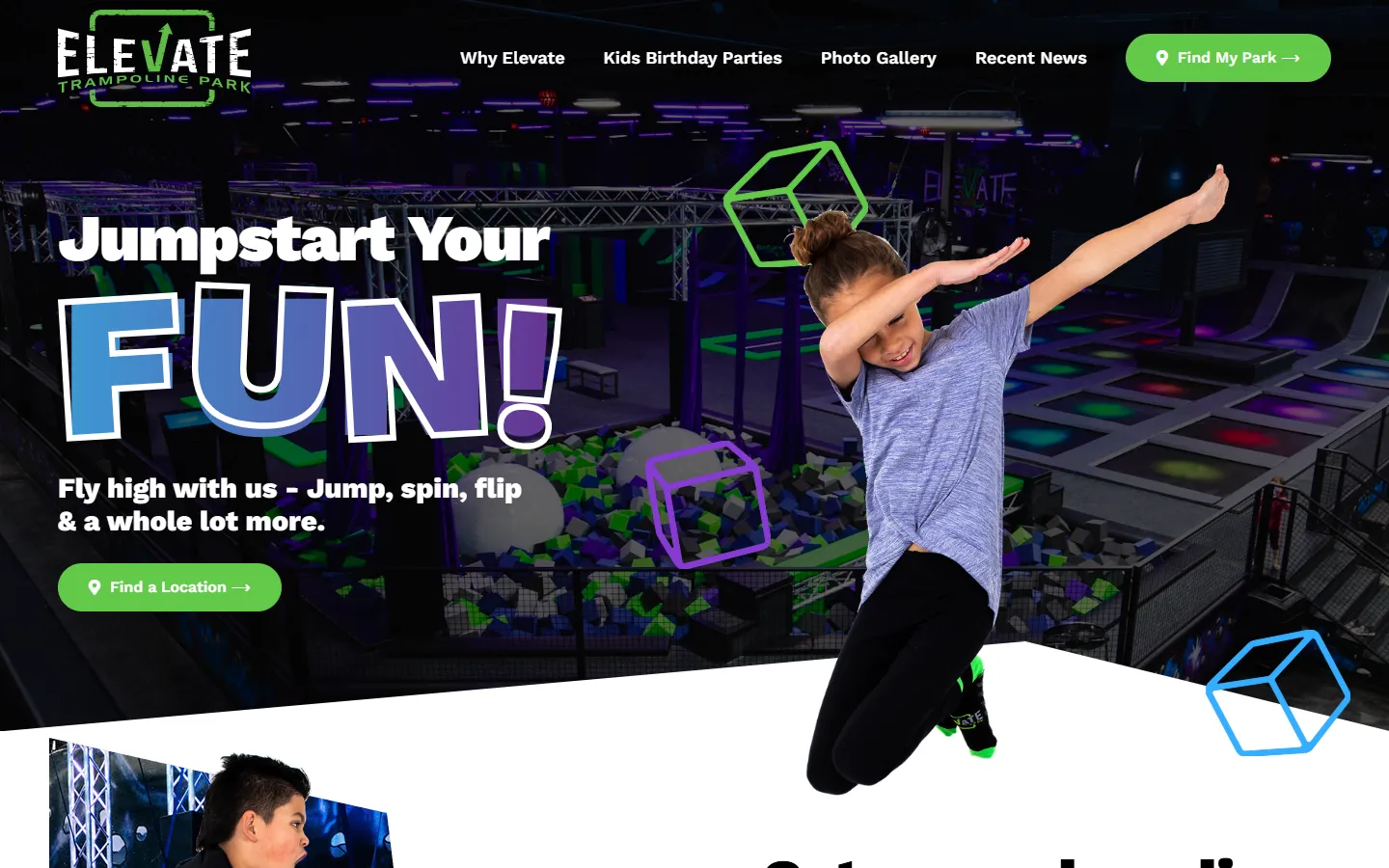
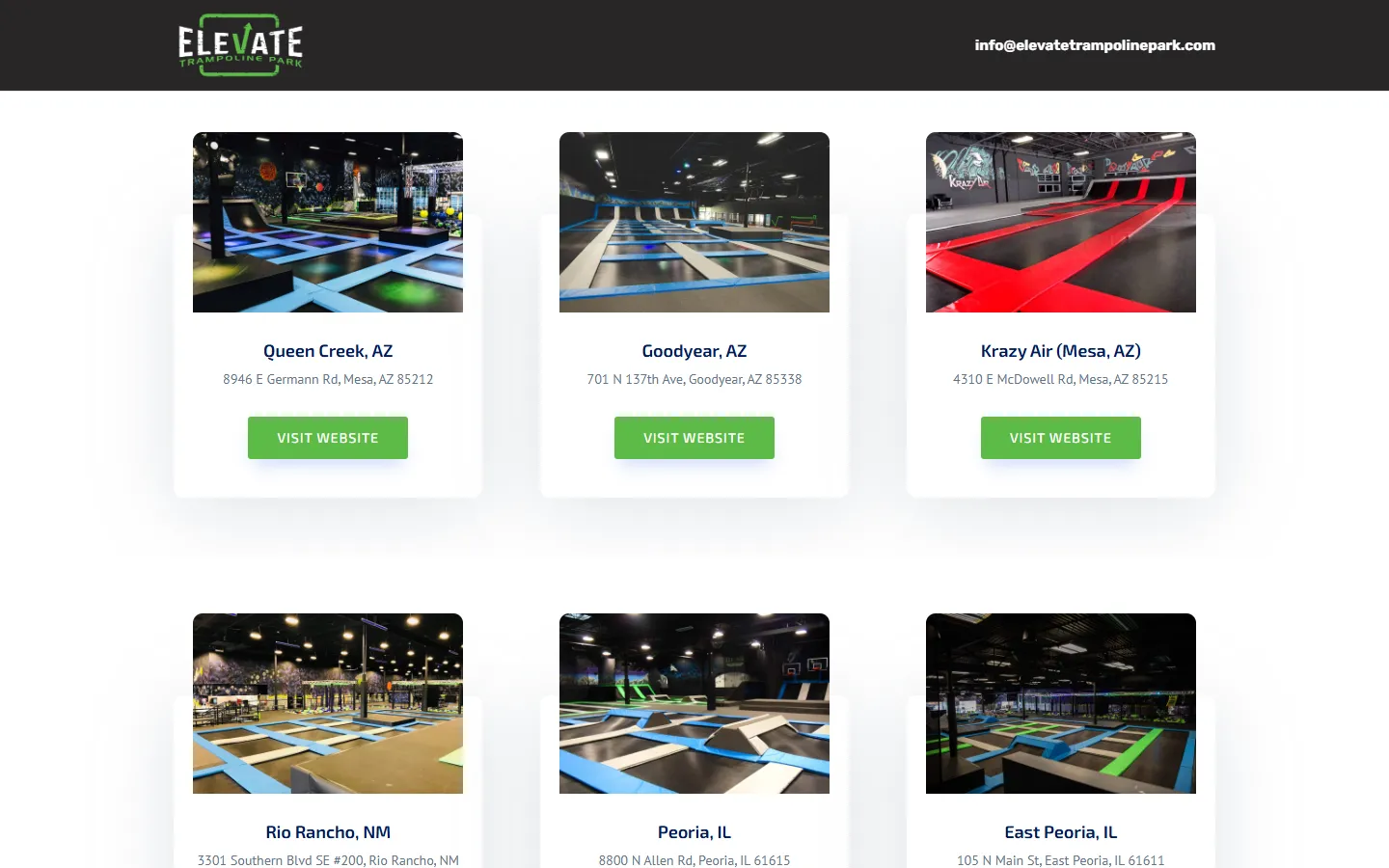
Drag to compare Elevate Trampoline Park’s previous homepage with the site we built.
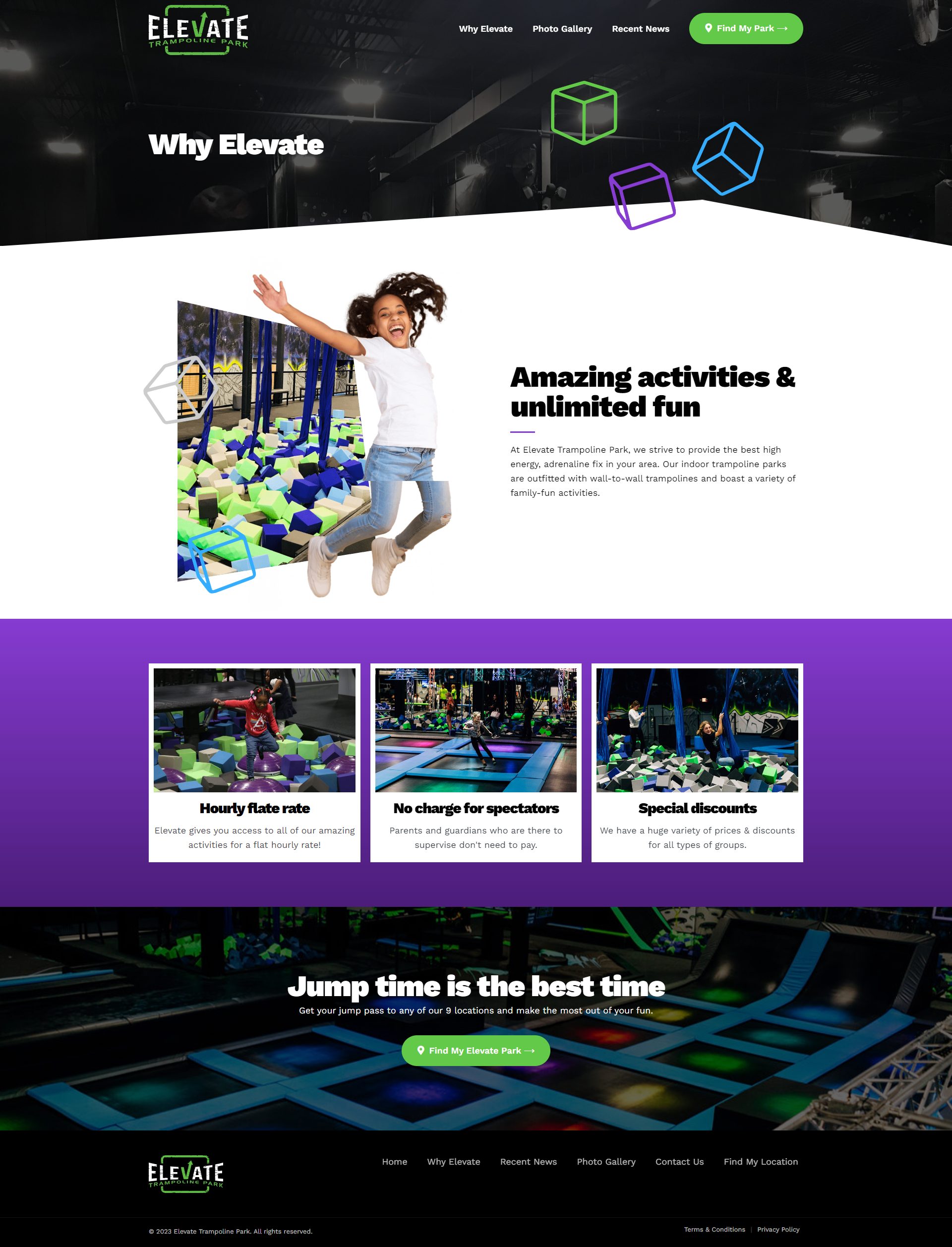
Hover to scroll the page.
Our approach.
We brought everything under one roof. The new elevatetrampolinepark.com opens with the brand story, the attractions and the party and event options, and every visitor is one click from the "Find My Park" locator. Each park then gets its own section on the same domain, with a consistent menu for pricing, memberships, parties and events, attractions, the calendar, the waiver and park rules, so the experience feels the same in Gilbert as it does in Erie. Old per-park domains such as elevategoodyear.com now redirect into their park's section.
We rebuilt the site on WordPress and Elementor with reusable park templates, so adding a new location means filling in a template rather than launching another website. The design leans into the brand: bold display type, the blue, purple and green palette, outlined cube graphics and photography of kids mid-air. Our team also helped write the copy, keeping it short, upbeat and focused on getting families to book.
What we built.
One site now carries every park, party and pass. Here’s what each part of the site does for the people who use it.
- 01Park finder
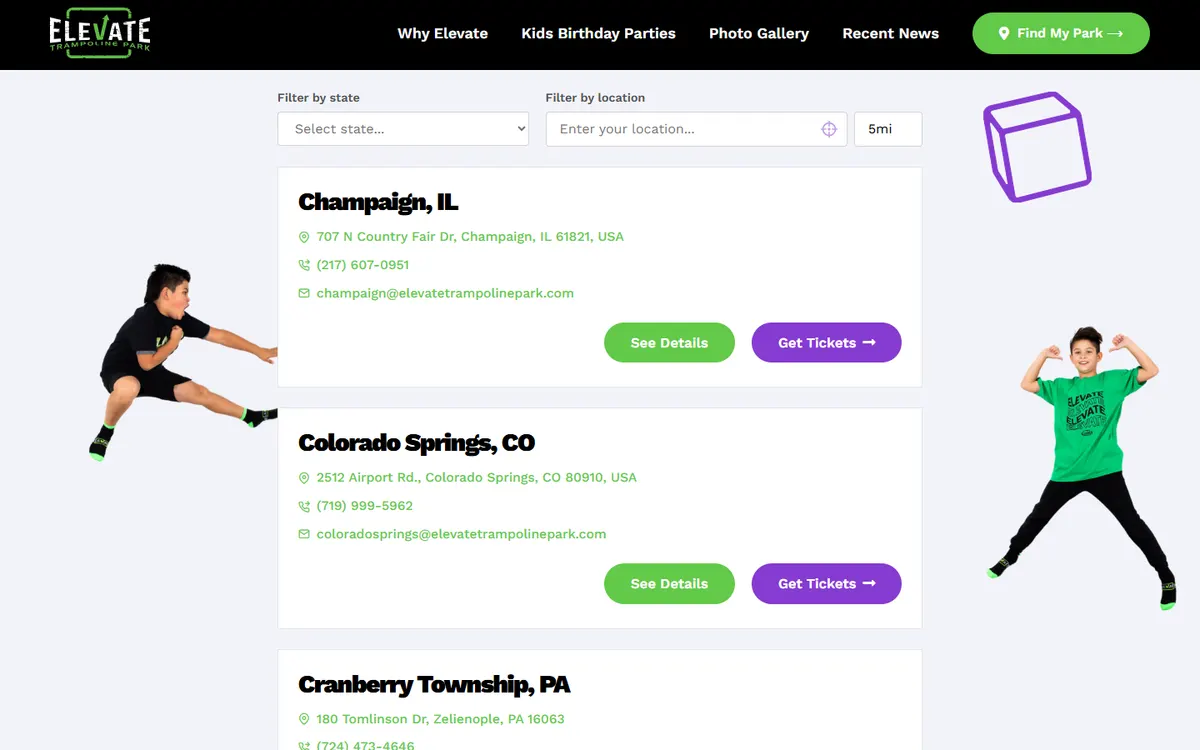
Park finder
The Find My Park page lists every Elevate location with its address, phone number, email and buttons to see details or buy tickets. Families can filter by state or enter their location and a distance radius to find the closest park.
- 02A home page for every park
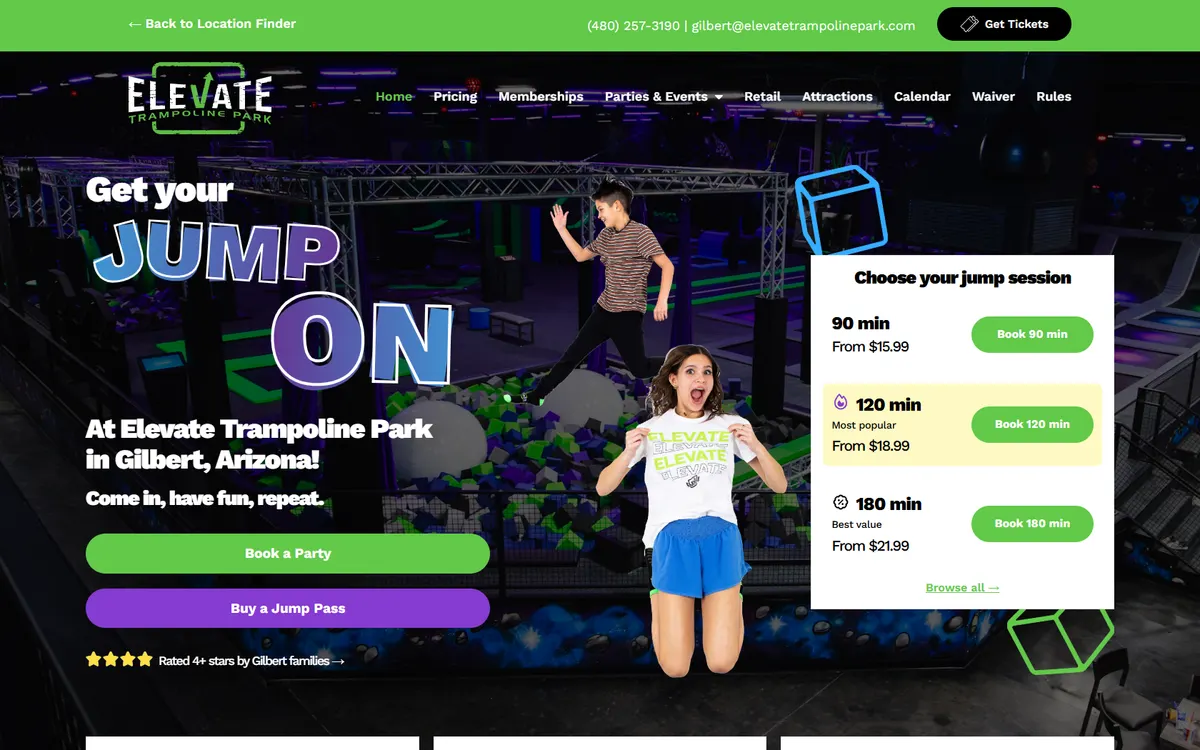
A home page for every park
Each location has its own section with a local header bar for phone, email and tickets, and a full park menu. The park home page puts 90, 120 and 180 minute jump sessions right in the hero, next to buttons to book a party or buy a jump pass.
- 03Attractions galleries
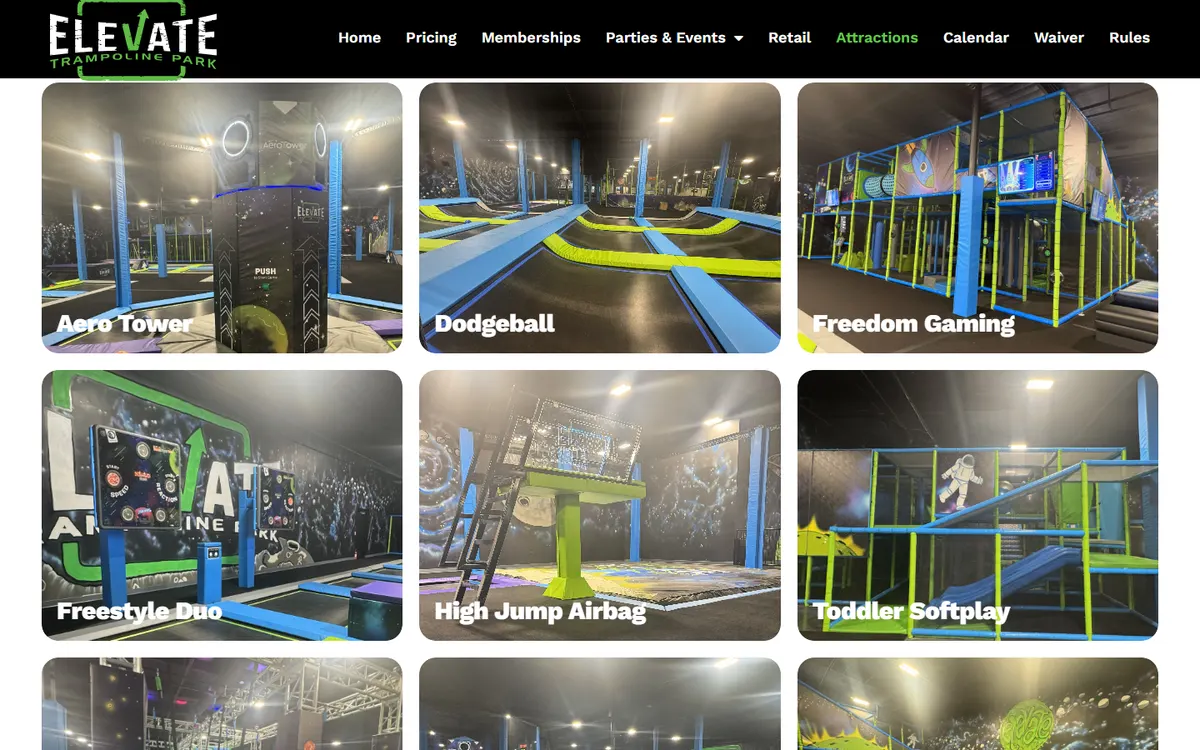
Attractions galleries
Park Attractions pages show what's actually on each floor, from the main trampoline court and dodgeball to ninja courses, high jump airbags and toddler soft play. Large photo cards link to a page for each attraction, so families know what to expect before they arrive.
- 04Birthday party packages
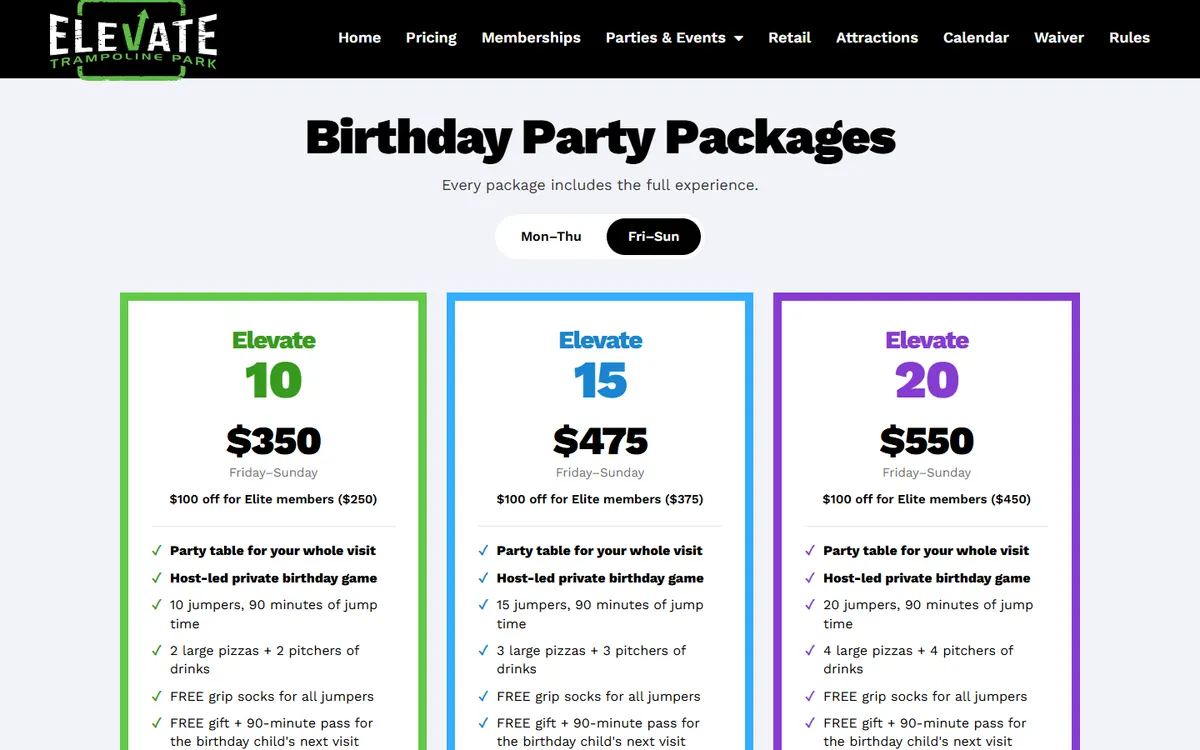
Birthday party packages
Birthday parties are a big part of the business, so each park has a dedicated party page with packages side by side. A Mon–Thu / Fri–Sun toggle switches the pricing, and every package lists exactly what's included, from jump time and pizza to the party host.
- 05Memberships and a savings calculator
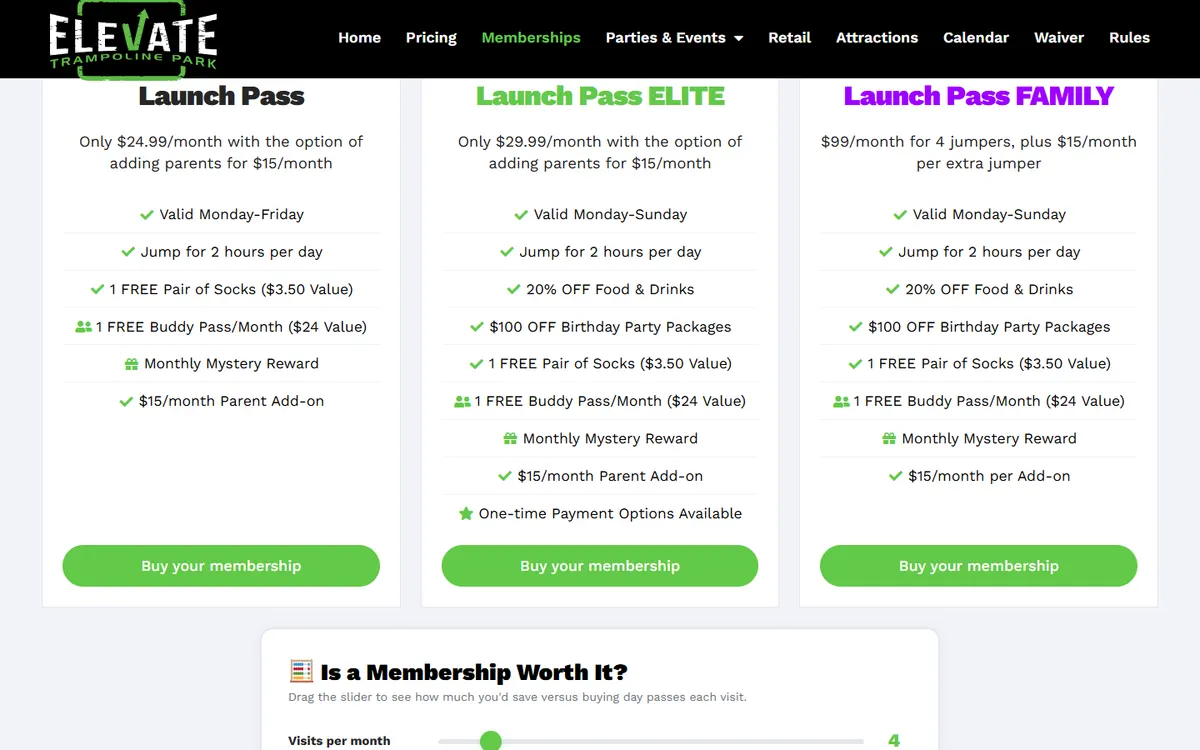
Memberships and a savings calculator
The Launch Pass memberships are laid out as three clear plans with their perks and a buy button on each. Below them, an "Is a Membership Worth It?" slider shows how much a family saves each month compared with buying day passes.
- 06News and park blogs
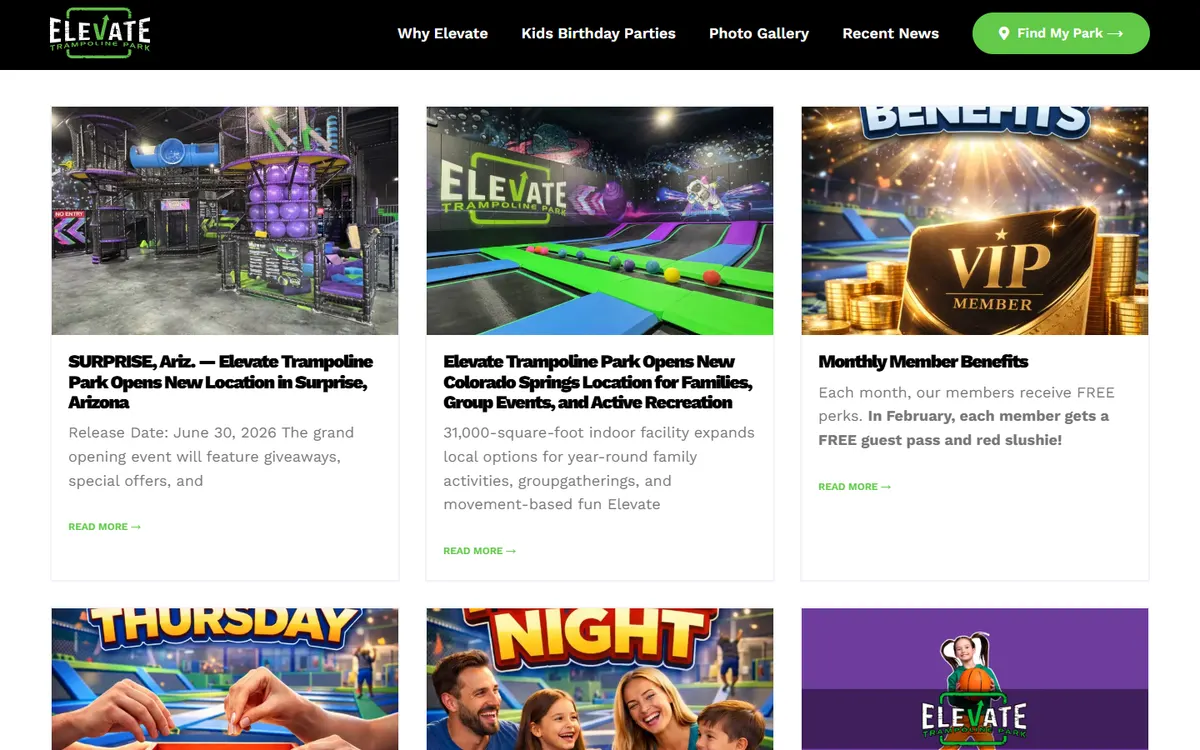
News and park blogs
Recent News collects grand openings, member perks, weekly deals and articles for parents in one place. Posts are organized by park, so each location can publish its own stories while they all appear in the shared feed.
The results.
One brand, one address
Instead of a directory pointing to a separate website for each park, Elevate now has a single site that carries the brand from the home page down to every location. Families see the same design, navigation and tone wherever they land.
Faster paths to booking
Get Tickets, Book a Party and Find My Park buttons appear throughout the site, and each park's home page shows jump session prices up front. From a quick jump to a full birthday party, the next step is always on screen.
Easy to grow
Reusable park templates mean a new location, like the recent Surprise and Colorado Springs openings, gets a full set of pages without a new website. Pricing, memberships, parties and calendars follow the same structure every time.
Built for phones
Parents often check prices and book from their phones, so every page works on a small screen, with stacked photo cards, large tap targets and the park menu tucked into a clear mobile navigation.
Designed for every screen.
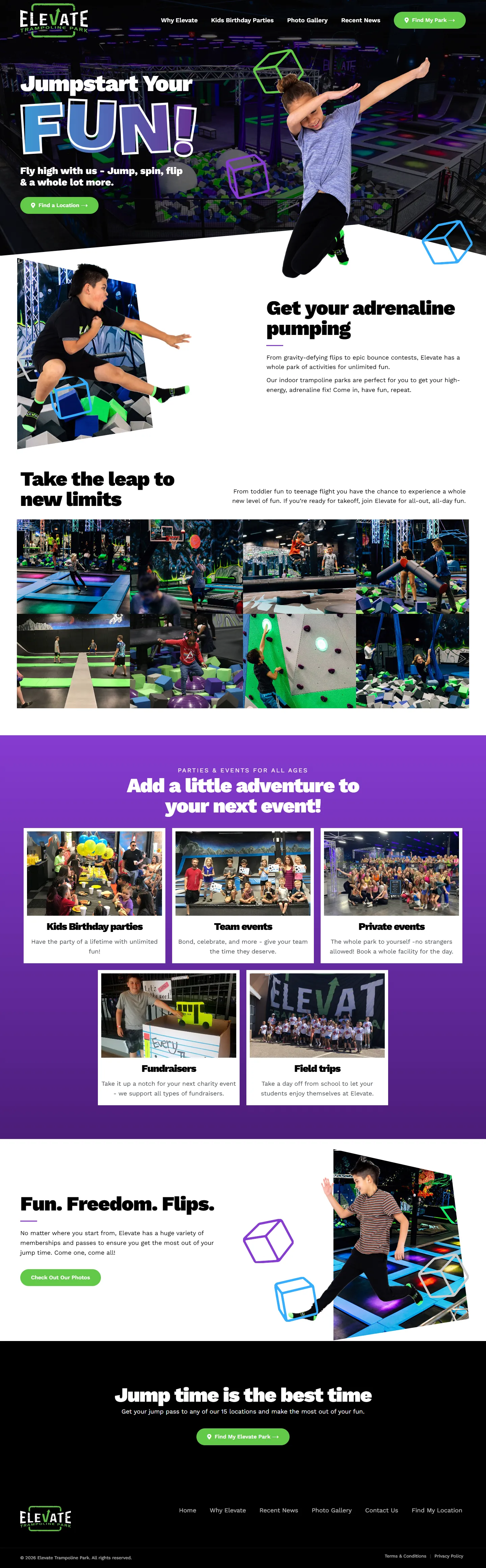

Hover over either screen to scroll the page.
The brand.
Color palette
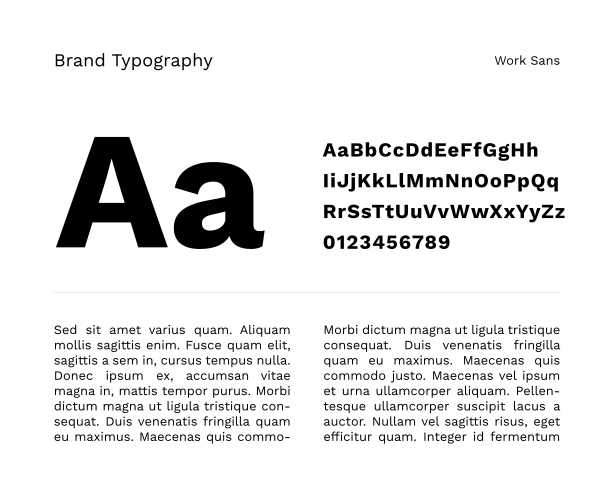
Typography
Want results
like this?
Tell us about your business. We will show you how we would approach a project like this one.





Start a conversation
Your story
is next.
Tell us what you are working on. Chance calls you within one business day with next steps.